Microsoft Teams app · Made in Germany
Replace your planning spreadsheet – right inside Microsoft Teams.
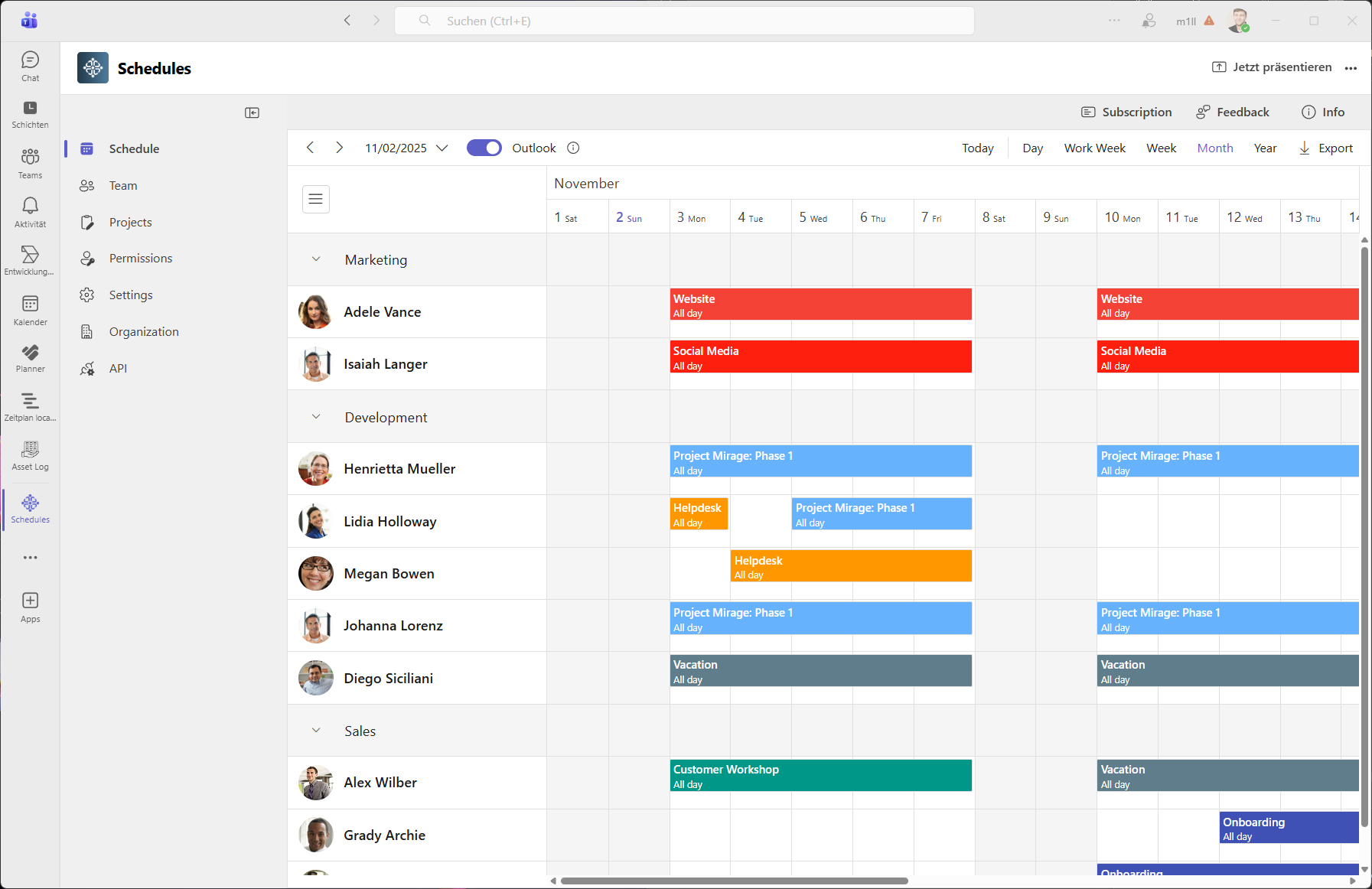
See who works on which project or job, and when. Assign people by drag and drop, check their Outlook availability, and give everyone their schedule in the tool they already use.
No new logins · Unlimited viewers & admins · From $3 per person and month
Why teams switch from spreadsheets
Project teams, agencies and service crews use Schedules to plan people without the copy-paste.
“The spreadsheet is out of date the moment you share it.“
One live plan for everyone
Schedules is a shared timeline inside Microsoft Teams. Every change is visible to the whole team immediately – no more “final_v7.xlsx”.
“You ask around to find out who is free next week.“
Availability at a glance
See each person’s workload by day, week or month, with their Outlook free/busy time shown right in the plan.
“People miss changes because they never open the file.“
Everyone sees their own schedule
Team members get a Teams notification when they are assigned, and each person’s schedule can be shared as a calendar feed for Outlook or any calendar app.

Keep track of your teams’ workload
Get a quick overview of who is working on what and when.
Find available resources and assign tasks with ease.
Keep track of your teams' workload and create assignments with ease.
Up and running in minutes
No setup project, no training. If your team uses Microsoft Teams, it can use Schedules.
- 1
Install from Microsoft Marketplace
Add Schedules to Microsoft Teams and sign in with your Microsoft 365 account. The first person in your company becomes admin.
- 2
Add your team and projects
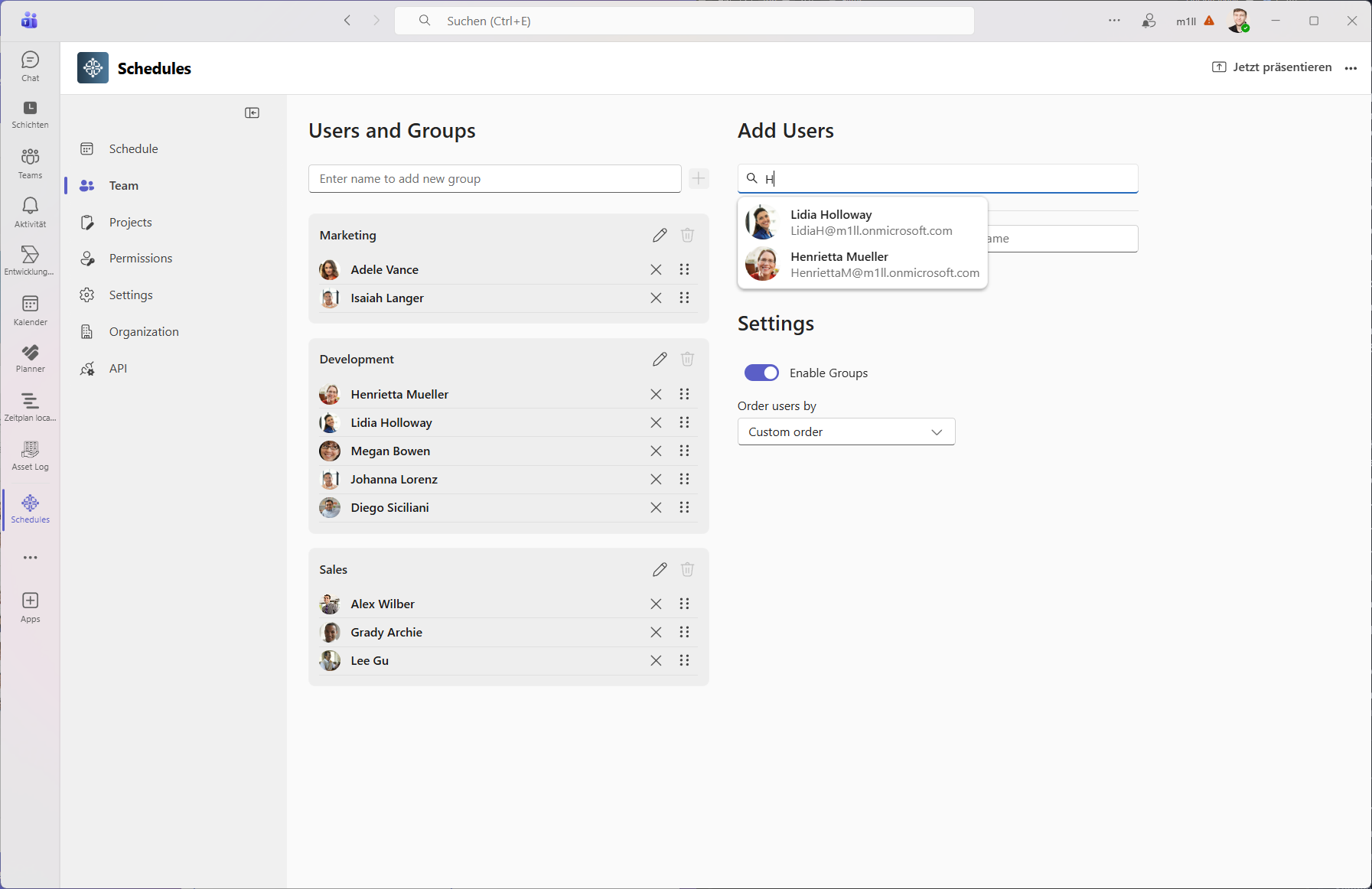
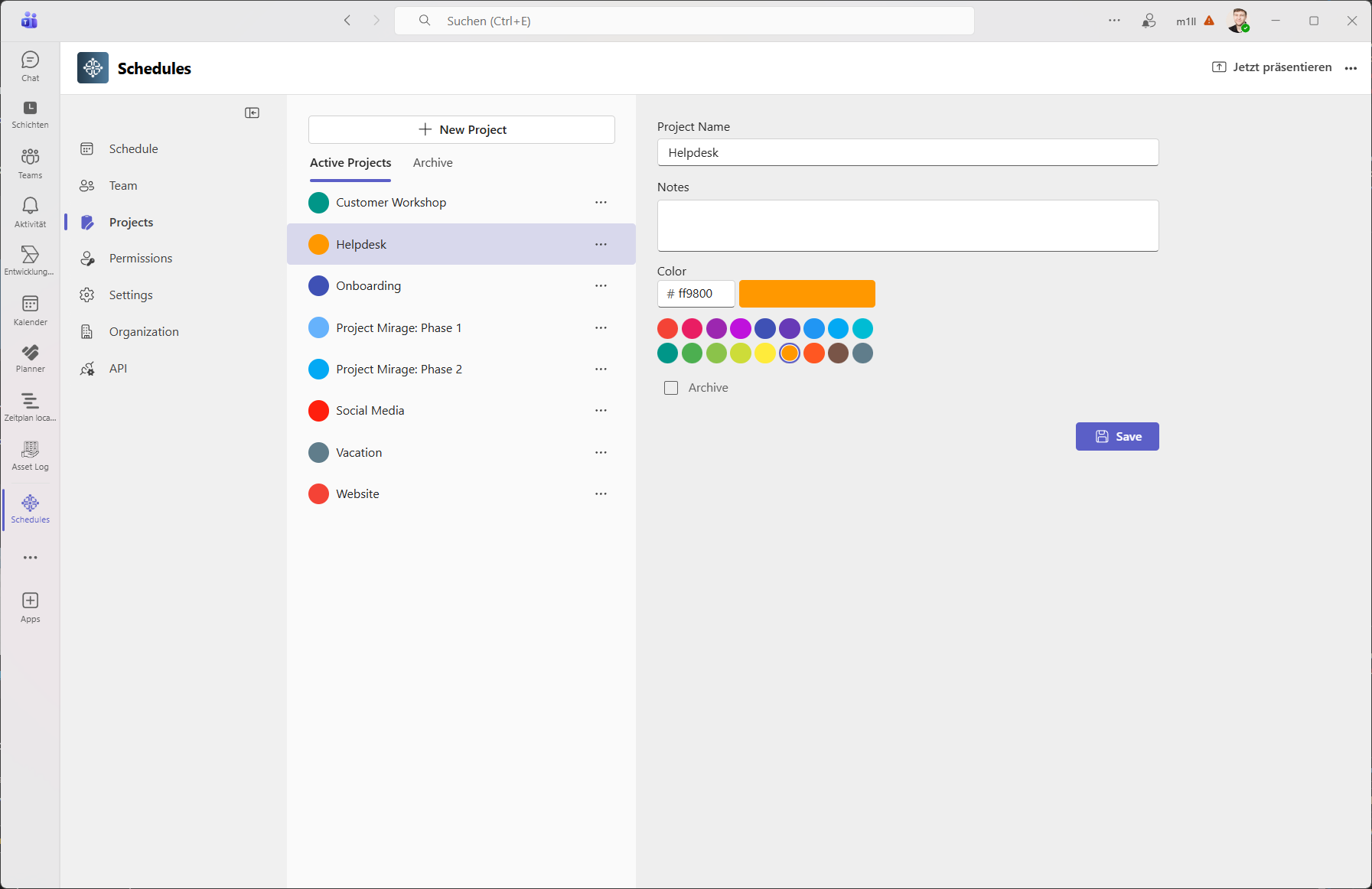
Pick team members straight from your company directory and create color-coded projects. No user management, no passwords.
- 3
Drag, drop, done
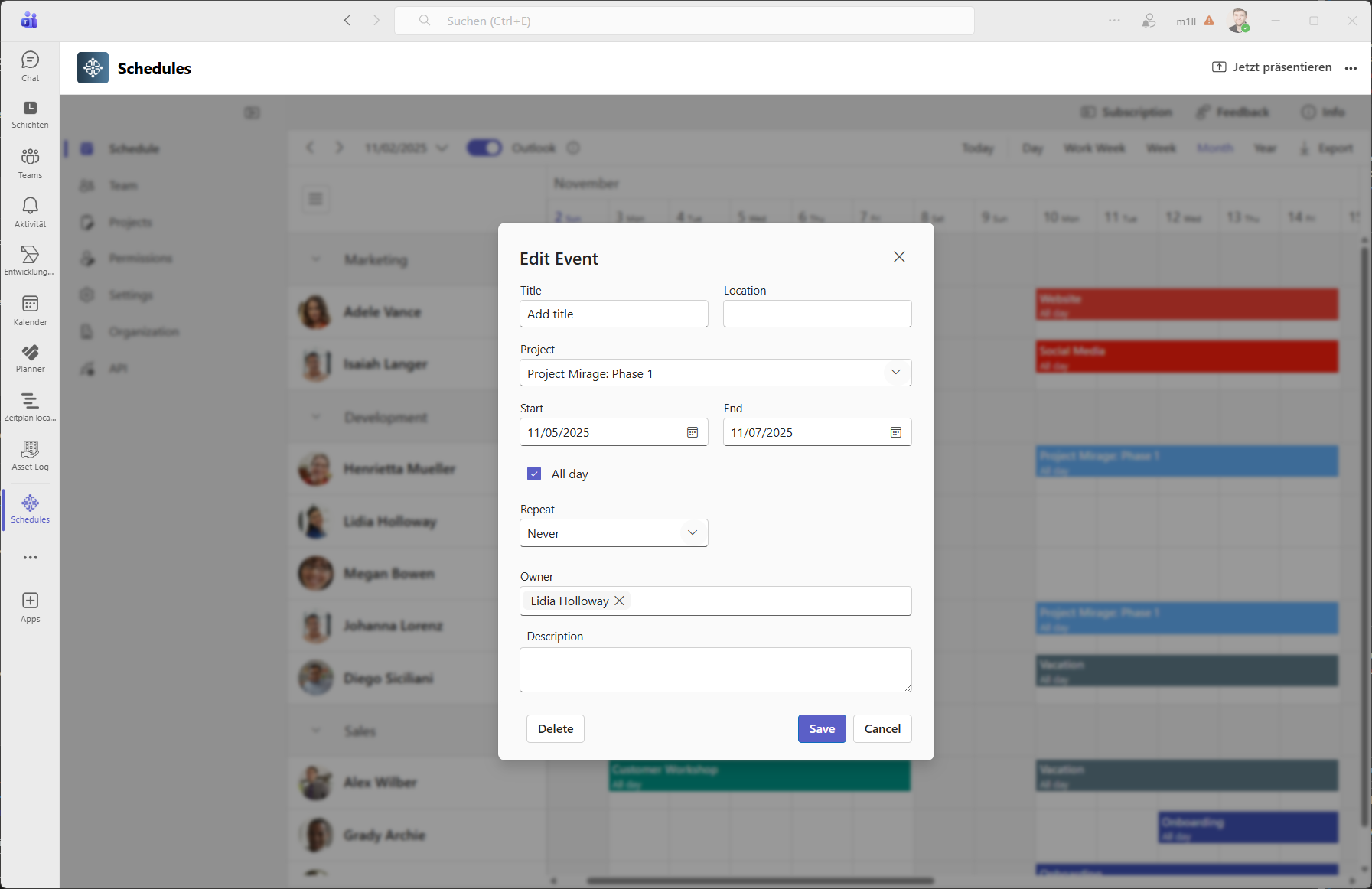
Create and move assignments on the timeline. Your team sees the plan in Teams and, if they like, in Outlook.
Your data stays in Germany
Built on Microsoft 365 and Azure, so your IT team doesn’t have to review yet another platform.
Hosted in Germany
All services that process customer data run in Microsoft Azure, region Germany West Central.
Microsoft sign-in, no passwords
Microsoft Entra ID single sign-on. We store no passwords and request only delegated Graph permissions.
Encrypted and backed up
TLS 1.2+ in transit, AES-256 at rest, daily backups kept for 90 days, separate storage per customer.
GDPR by design
Made by Devsym GmbH in Germany. Directory data is read live, not copied; only names are stored.
Pricing
One simple pricing
One license is required for each person added to the schedule.
Save 40% by paying annually.
Schedules Subscription
One simple pricing model.
$3/month & user, yearly billing
Proceed to checkout- Unlimited Projects
- Unlimited Events
- Unlimited Viewers & Admins
- 24-hour support response time

Frequently asked questions
If you can’t find what you’re looking for, email our support team at support@devsym.de and we’ll be happy to help.
What is Schedules for Microsoft Teams?
Schedules is a resource planning and team scheduling app that runs inside Microsoft Teams, Outlook and Microsoft 365. Managers see who works on which project or job on a daily, weekly or monthly timeline and assign work by drag and drop.
How do I cancel the trial?
There is no need to cancel the trial. It will automatically end after 30 days.
What happens after the free trial ends?
After the trial ends the app will become read-only. You can purchase the Schedules Subscription to continue using the app.
How many licenses do I need to buy?
You need to buy one license for each person that is added to the schedule. There is no limit on the number of viewers or administrators.
How do I activate my subscription?
After purchasing a subscription through Microsoft AppSource, you will receive an activation link. Click on the link and sign in with your Microsoft 365 account to activate your subscription.
Can I view events from Microsoft Outlook in Schedules?
You can show events from Outlook in Schedules by enabling the Outlook toggle button.
Can I view events from Schedules in Microsoft Outlook?
To see events from Schedules in Outlook, you can subscribe to the ICS feed of individual persons.
Can I export events from Schedules?
There are three ways to export events from Schedules: Excel, ICS and as Screenshots.
How is Schedules different from Microsoft Teams Shifts?
Teams Shifts is built for shift rosters of frontline workers. Schedules is built for planning people across projects and jobs: color-coded projects, a timeline of each person’s workload, an Outlook free/busy overlay, Excel and ICS export, and a public REST API.
Where is my data stored?
All services that process customer data run in Microsoft Azure in the Germany West Central region. Sign-in uses Microsoft Entra ID single sign-on, so we store no passwords. See our security page for details.
Is there an API?
Yes. Admins of a schedule can create an API key for the public REST API to read and write appointments from other systems.
Is Schedules available in German?
Yes. The Schedules app and the user guide are available in English and German.
Retire the planning spreadsheet this week
Try Schedules free for 30 days. After the trial, the app simply becomes read-only until you subscribe – nothing to cancel.
Need Help Getting Started?
Read our comprehensive user guide to learn how to make the most of Schedules for Microsoft Teams.